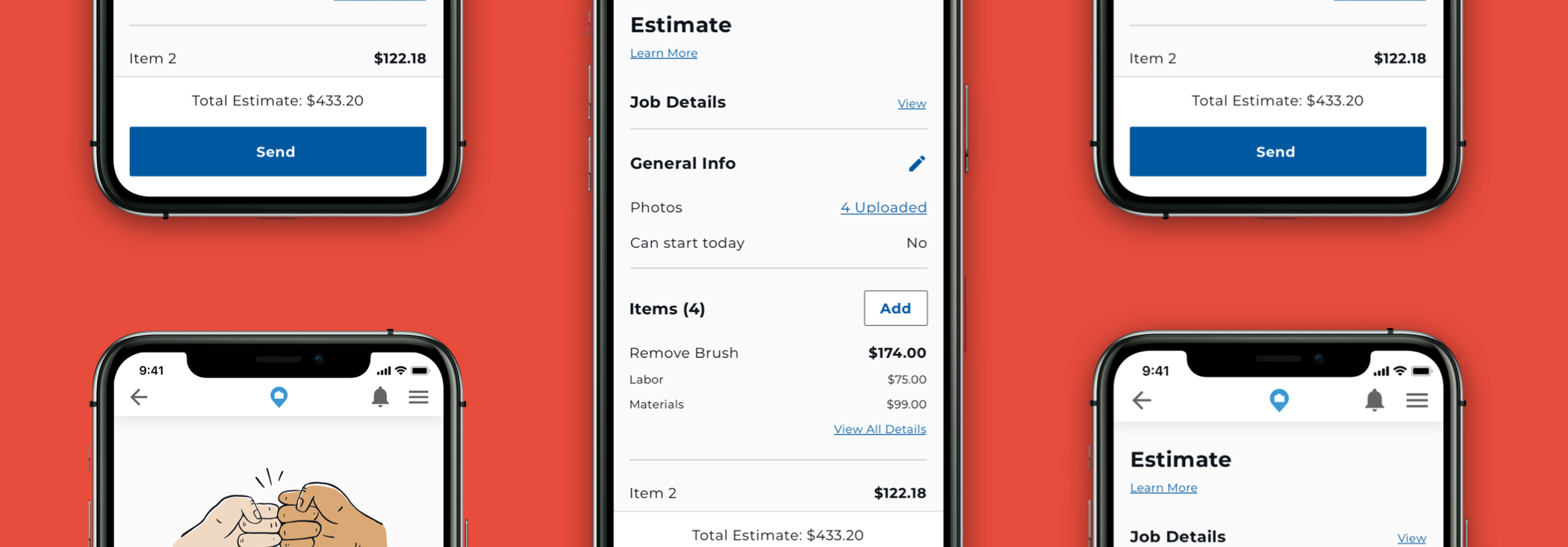
Estimates

HOMEE | 2020

Project Overview

HOMEE is a scalable home services solution connecting those with home projects and repairs to qualified providers.

In the mobile app, customers expect to understand the cost of the job. Therefore, estimates were manually created by pros and sent outside of the existing application. The product needed to support the ability to request, track, and approve estimates for better transparency and to meet customer's expectations. In result, we brought the estimates process to the mobile apps.

My Contribution

  • Research
  • User Experience
  • Visual Design

Discovery

  • Observations
  • Interviews

Observations

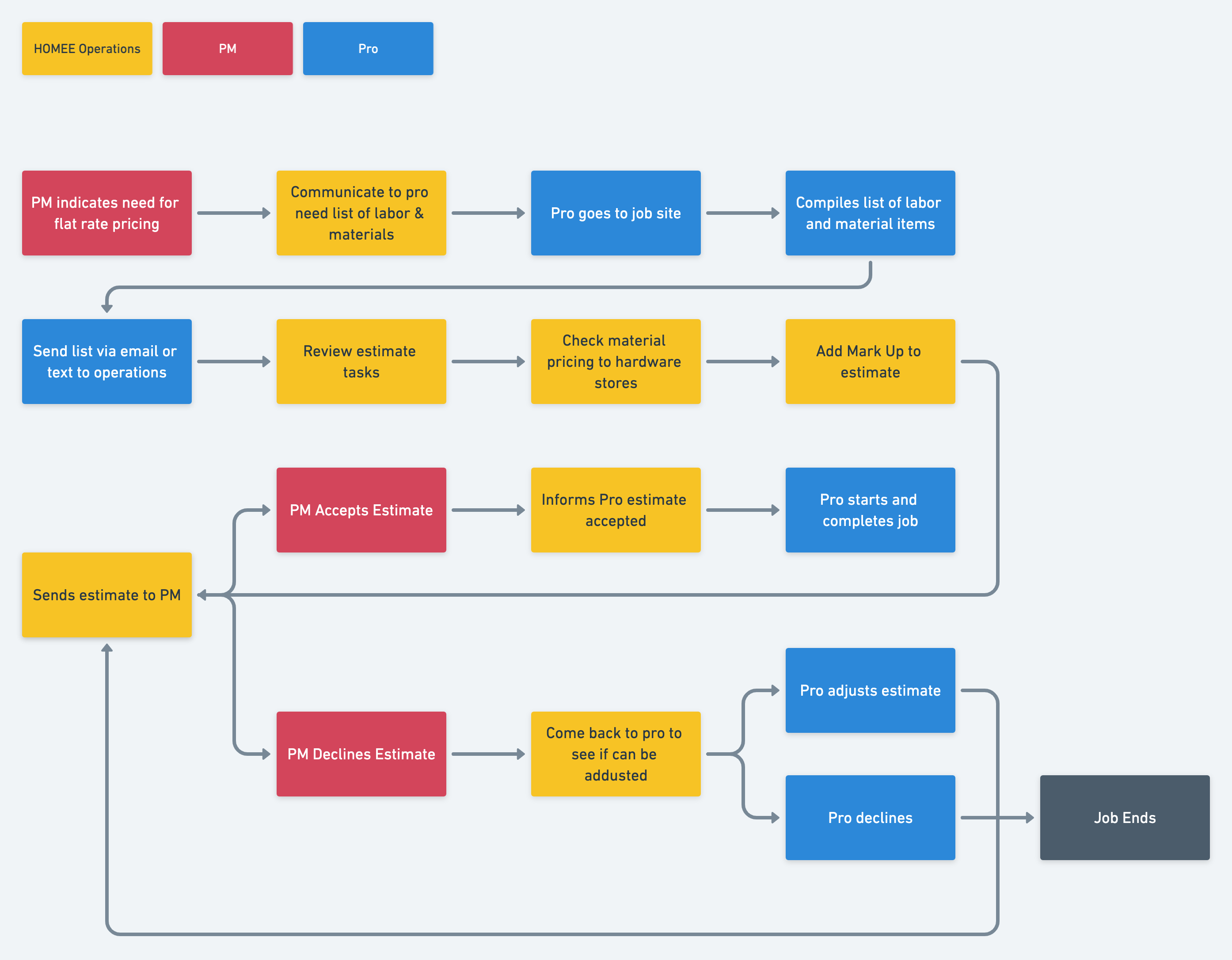
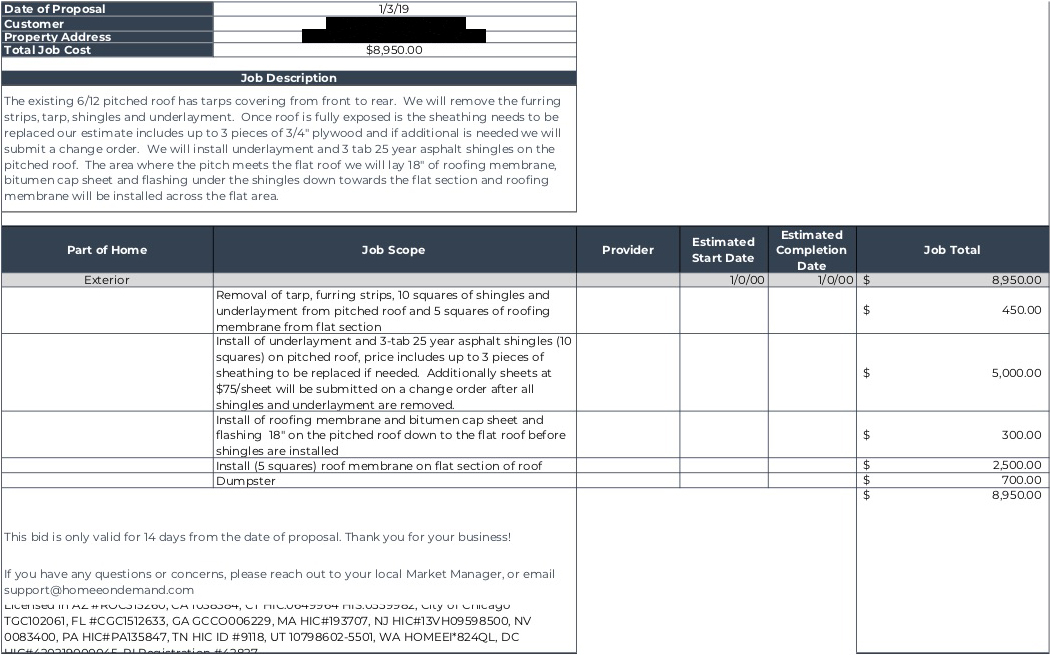
To begin the discovery phase of this project, observation sessions were completed with the HOMEE operations team who manually took estimate requests from a customer to a Pro. The diagrams below depict the manual process that was done along with the estimate format a customer would receive prior to adding this functionality to HOMEE's digital products.
Manual estimate process
Example of a Pro's estimate

Interview Highlights

After speaking with all the stakeholders, it was apparent that there was differing expectations from our operations team. These inconsistencies with the process resulted in frustrated Pros.

From the customer's perspective, they didn't realize that they could get an estimate because this process was done outside of the mobile app experience. Highlights from these conversations are shared below.

Operations

I don't have them [pros] put any notes into the app... we need to keep the bid amounts for in-house information only.
[Pros] should run [estimates] through the app if the Pro goes onsite for any reason. All jobs should have work orders created for insurance purposes and then basic tracking of acceptance/denial/follow up.

Pros

  • 99% of the time the customer counters first estimate price
  • Pros occasionally meet with market managers on the job site to go over required work
  • Some Pros utilize estimate software (Xactimate)
  • Pros prefer to do smaller scoped, quicker jobs
  • Pros prefer flat rate pricing over time and materials
  • The estimate rates are often calculated based off the estimated time to complete the job
  • Estimates are often compiled at homes or offices, which often creates delays

Customer

I’d be 100% more inclined to use HOMEE, if I knew the flat rate cost and scope of work.

Ideation

  • Content Audit
  • Experience Mapping
  • Wireframing

Content Audit

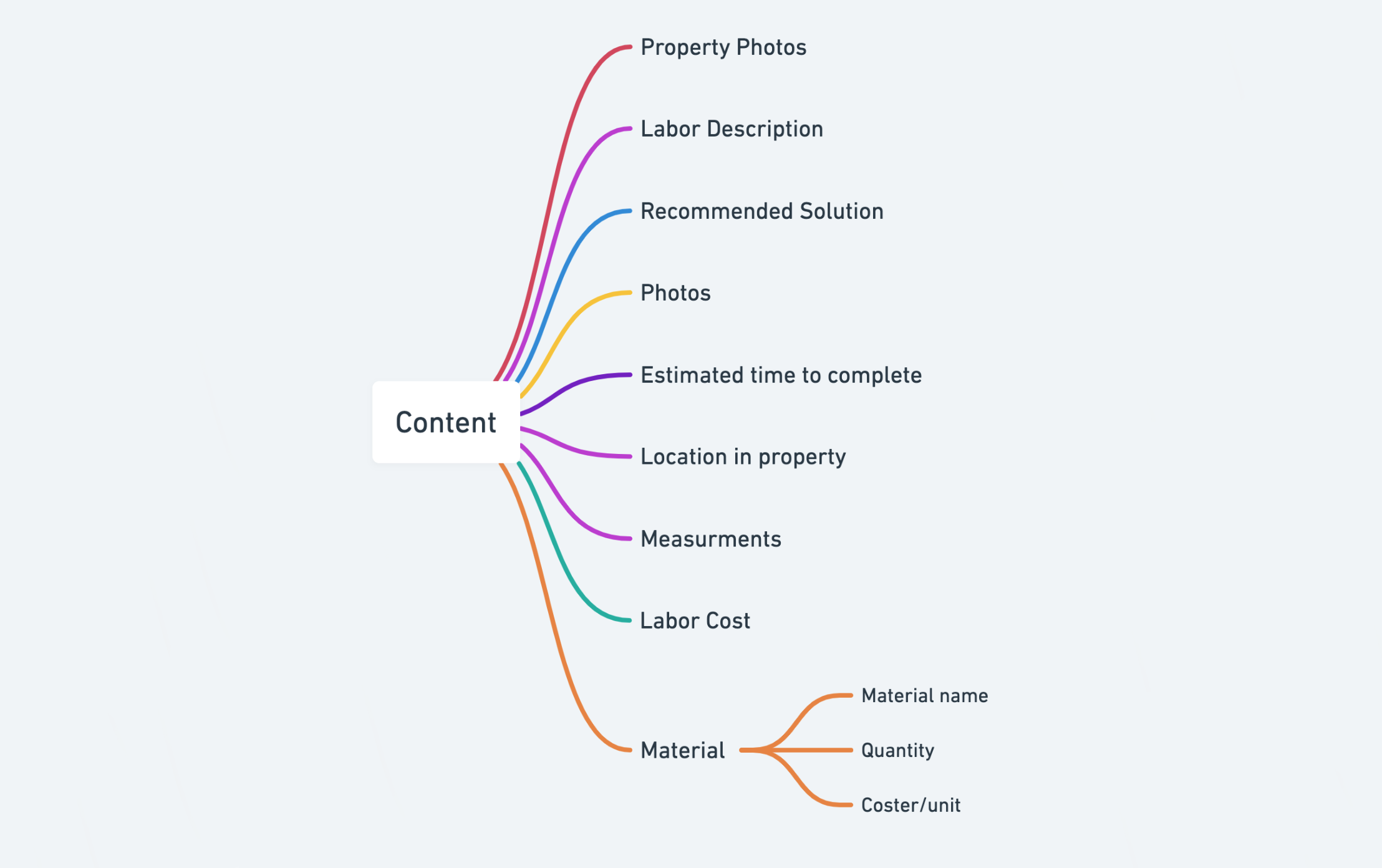
While speaking with many of the interviewees, I began collecting the specific data points necessary to include in an estimate. The excel sheet template (above) greatly informed what details were needed to be captured for a valid estimate. From there a variety of journey maps and wireframes were explored and shared with all stakeholders in the process for further refinement.
Required information needed from a Pro to complete an estimate.

Experience Mapping

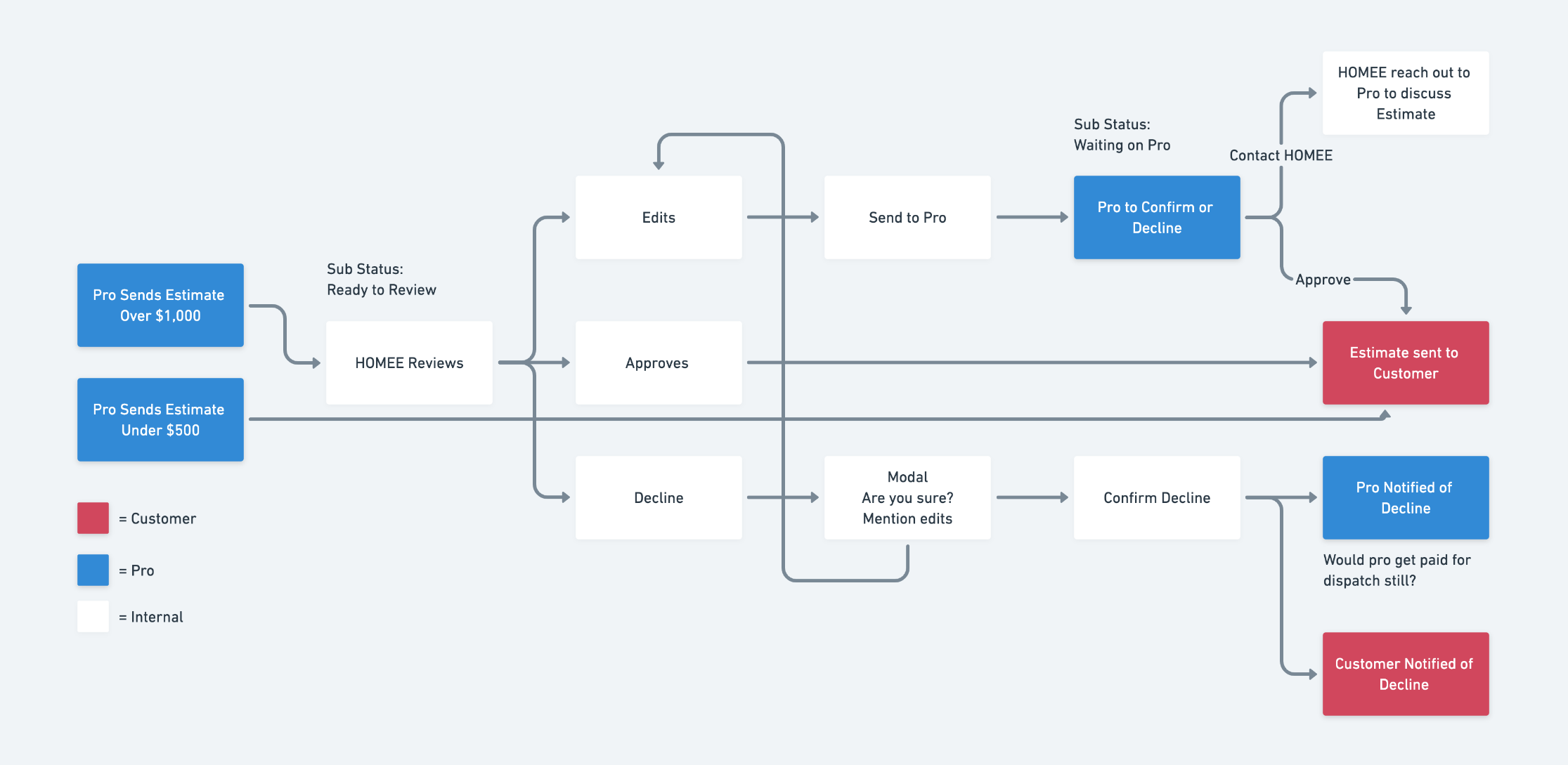
Proposed estimate approval process

Wireframing

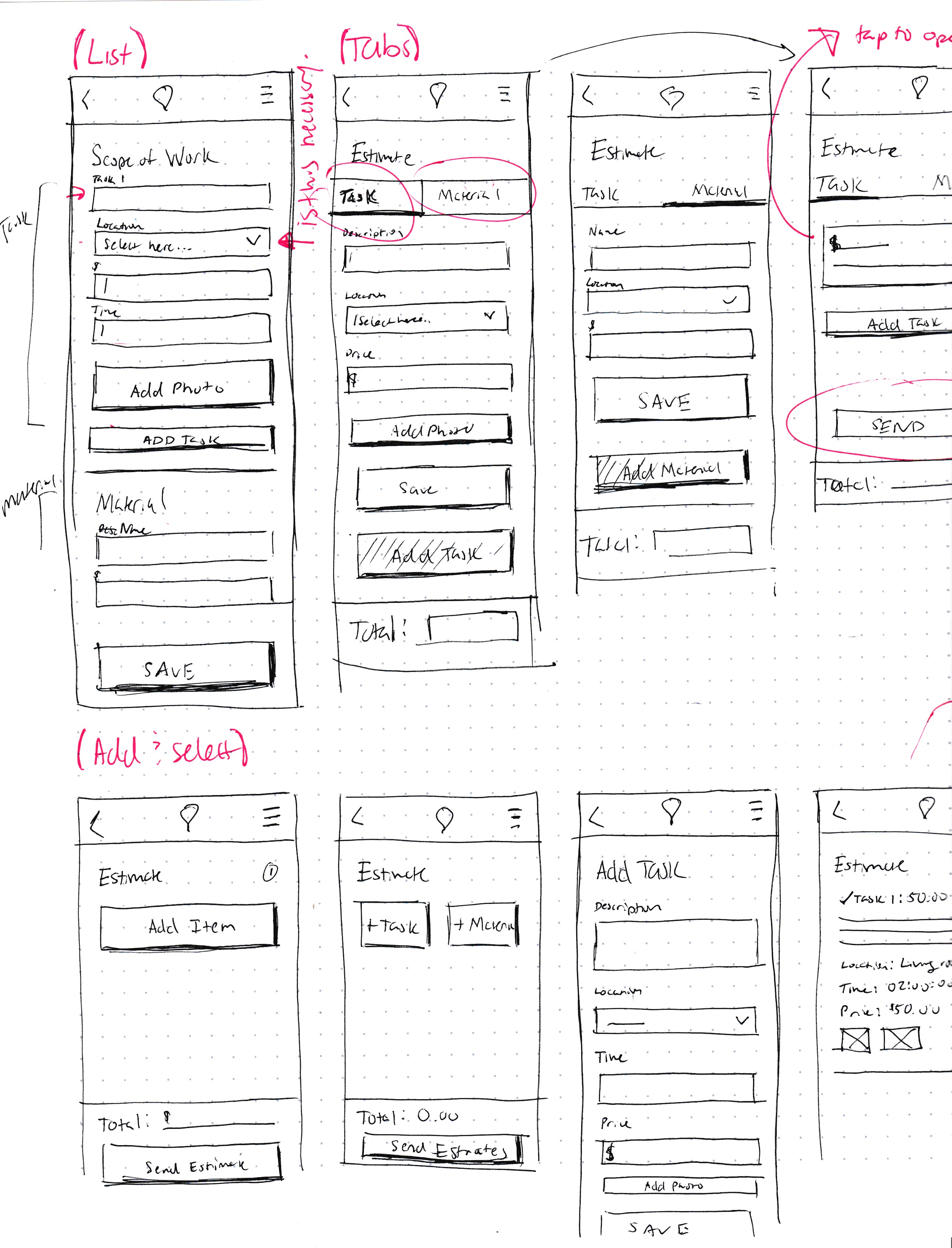
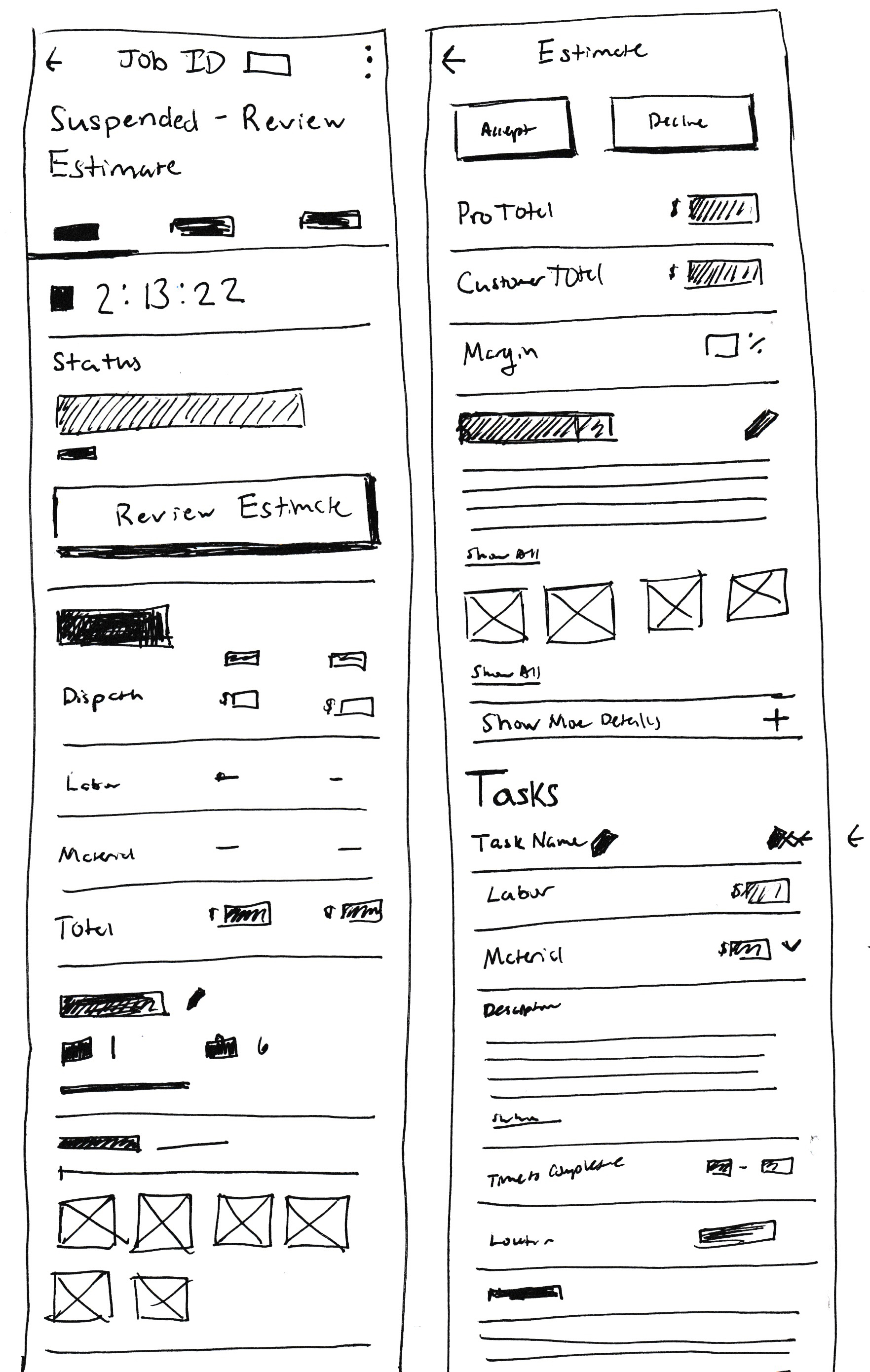
Exploring structure and sequence of adding a task vs. material.
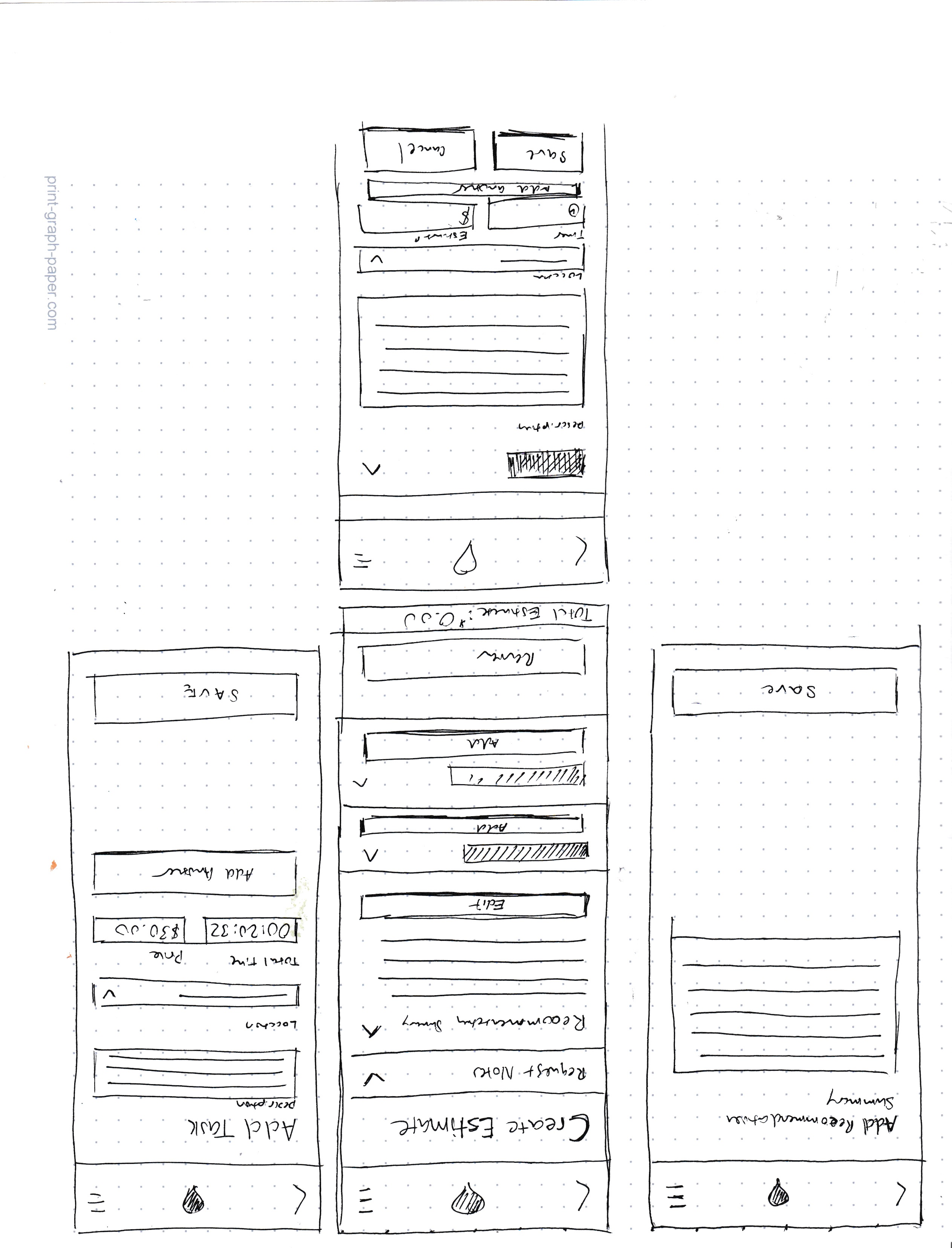
Accordion exploration on how to organize all facets of content.
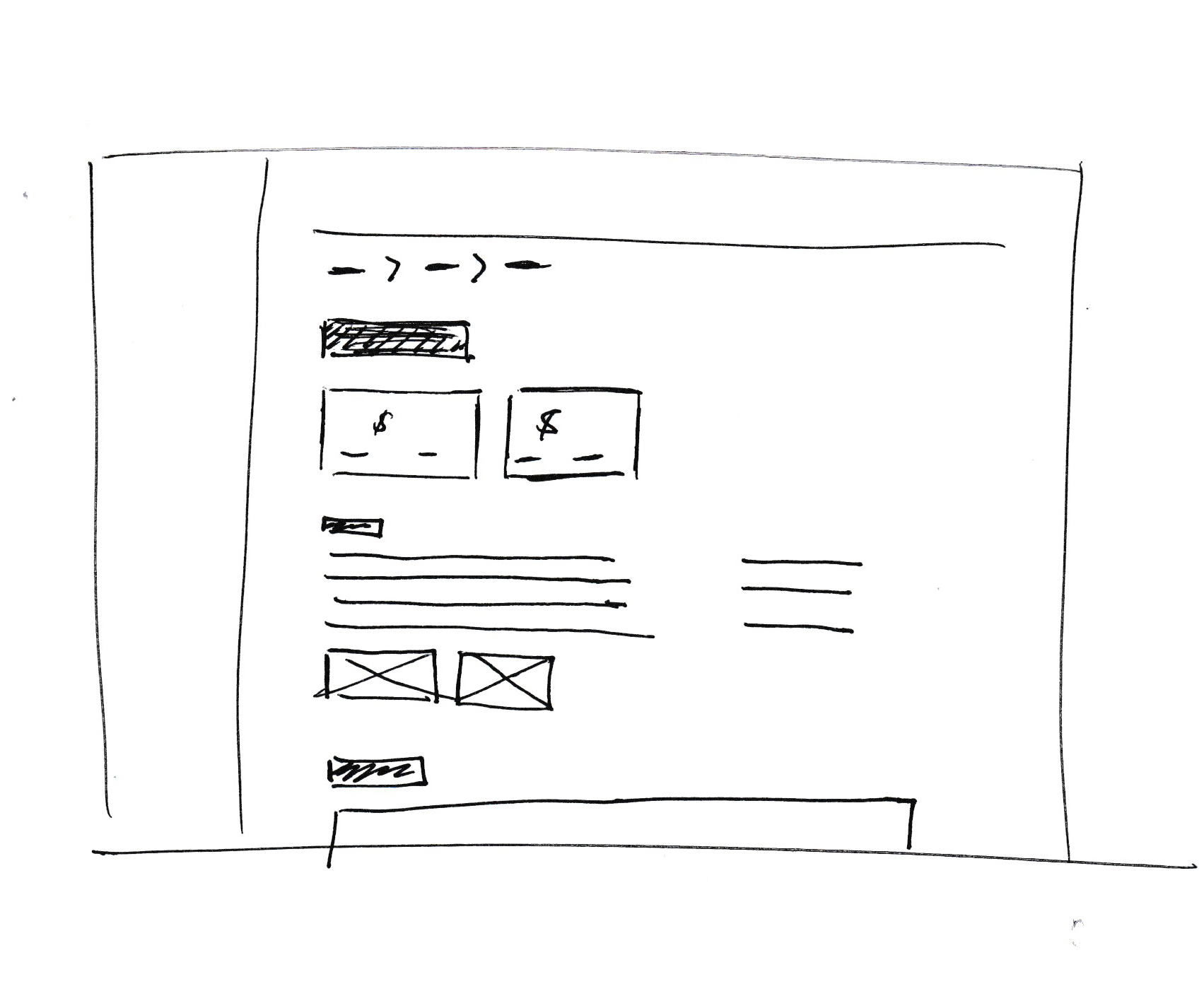
Layout of how HOMEE team can review an estimate on desktop.
Mobile view exploration for desktop site.

Feedback

  • Survey
  • Usability Testing

Usability Testing

Solutions were tested with five Pros with varying experience levels with HOMEE and our mobile apps. They were asked to complete three tasks related to the the estimate process. Based on the usability findings, a handful of small issues were found that was improved upon.
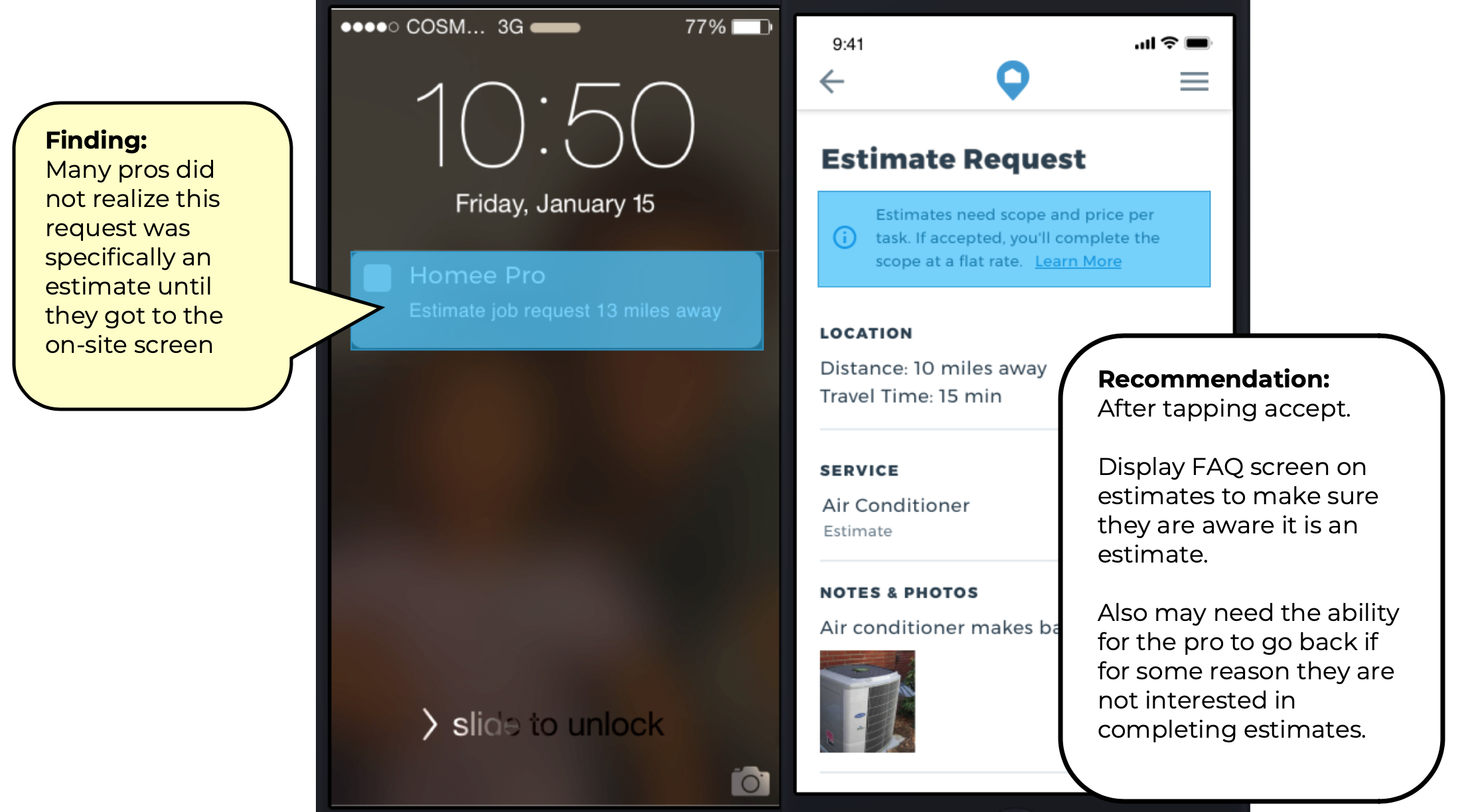
Testing found that accepting a regular request and estimate request were too similar and often went unnoticed. We adjusted by highlighting the estimate info box with a blue highlight. We also repeated the info box above the CTA at the bottom of the screen.
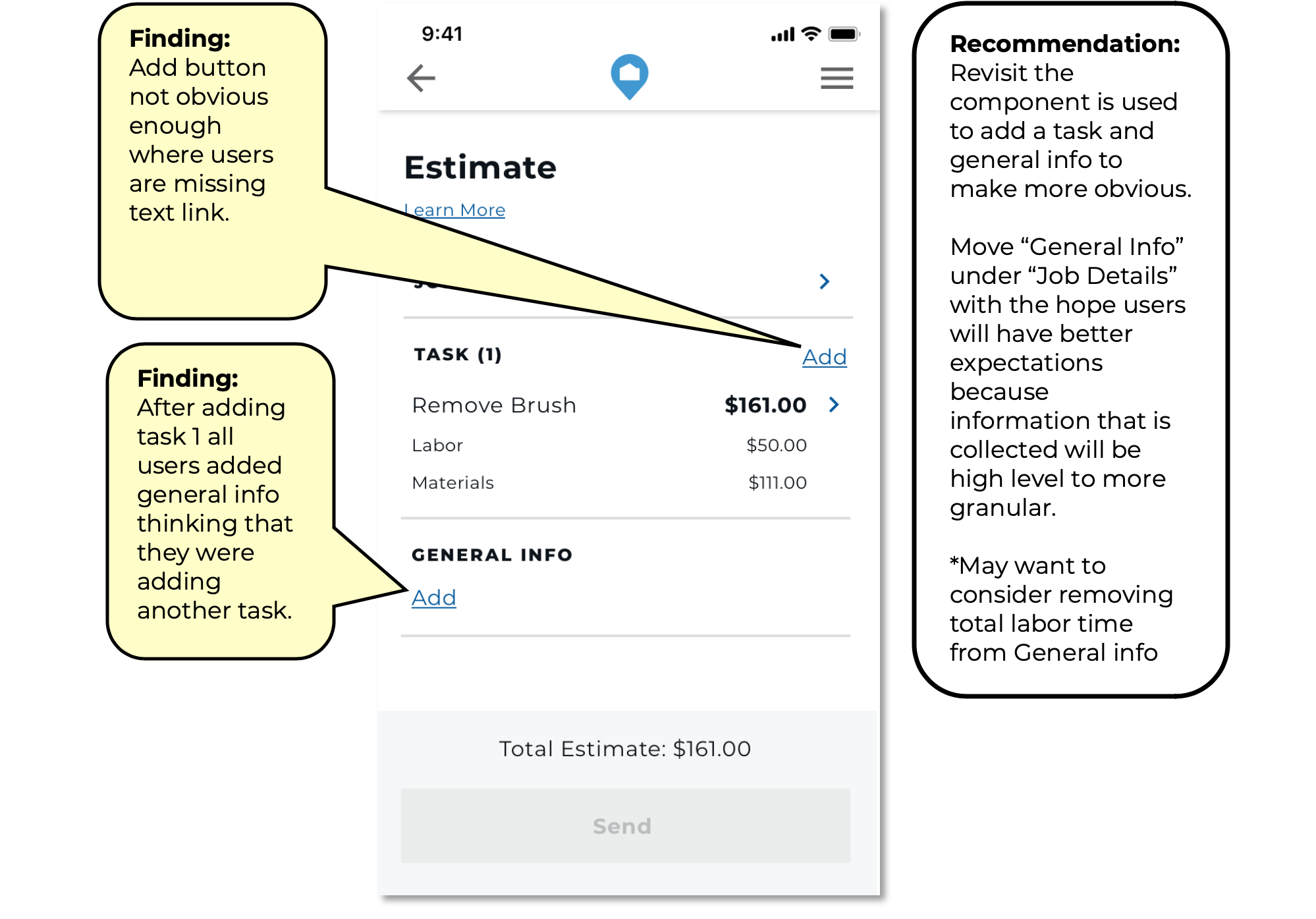
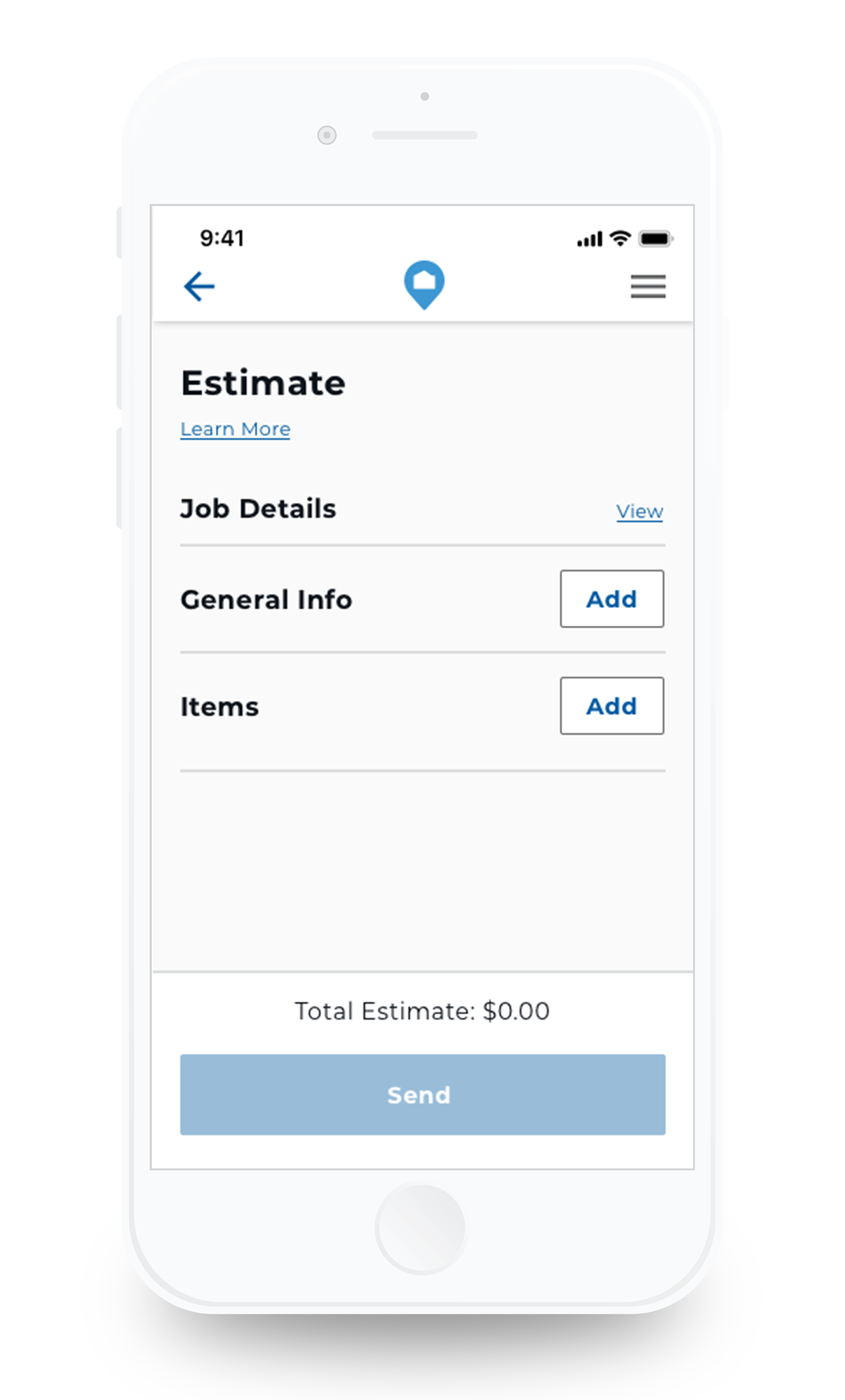
Many Pros struggled to find where to add more tasks to their estimate. We replaced the small text link with a button.
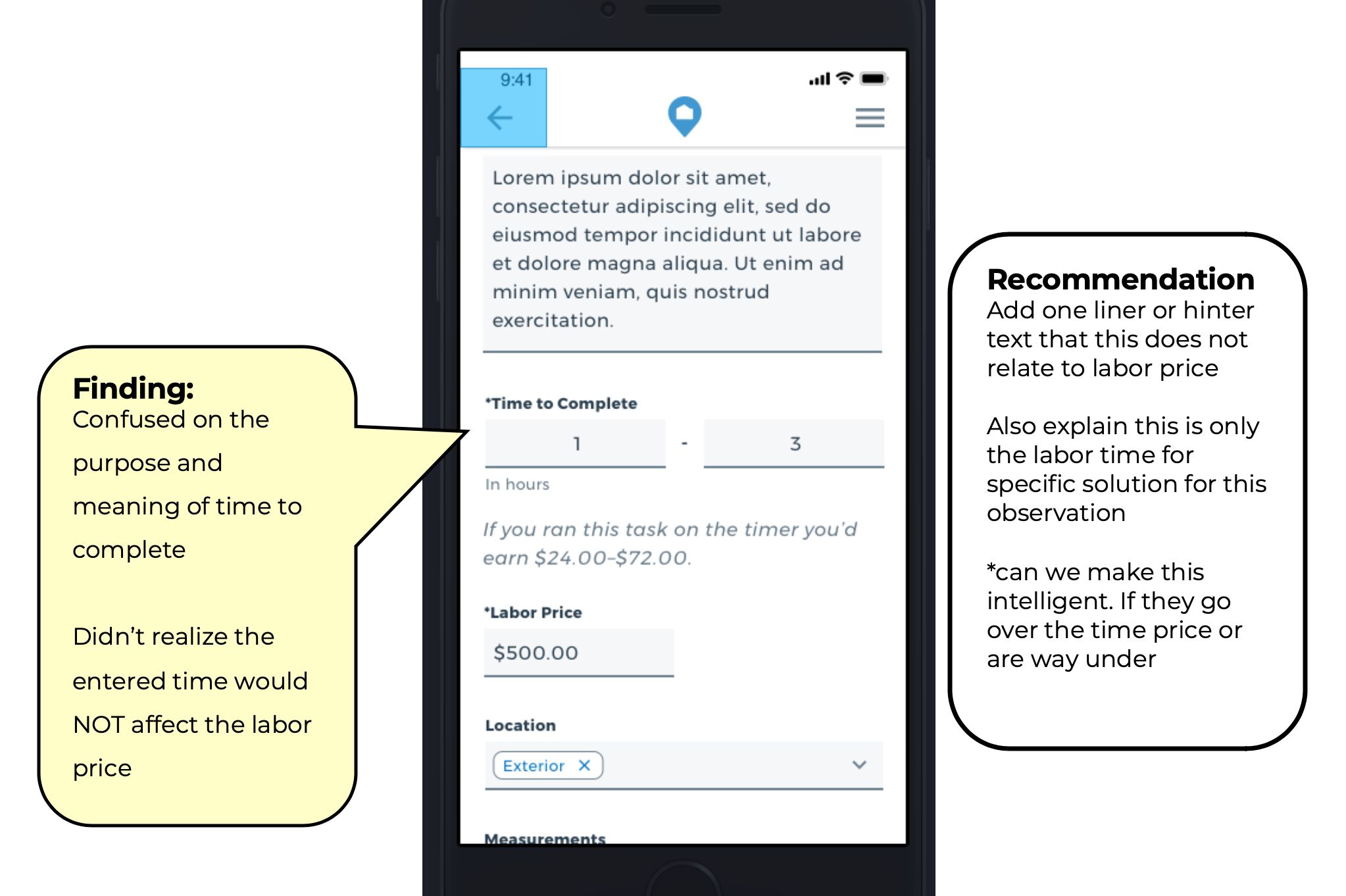
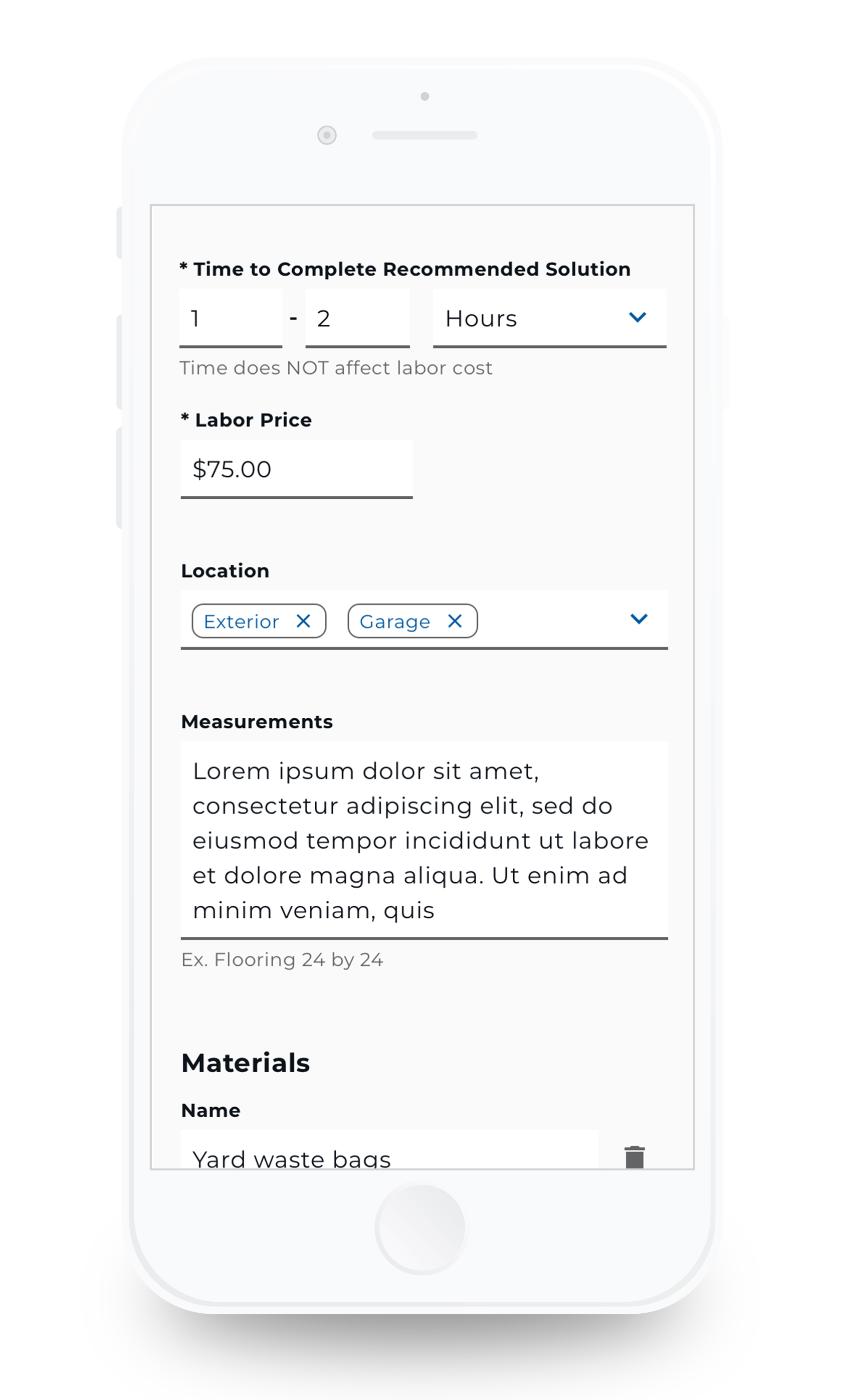
The "Time to Complete" field was confusing. The majority of Pros believed they needed to enter the time to complete the entire estimate form or the job itself. The label changed to "Time to Complete Recommended Solution".
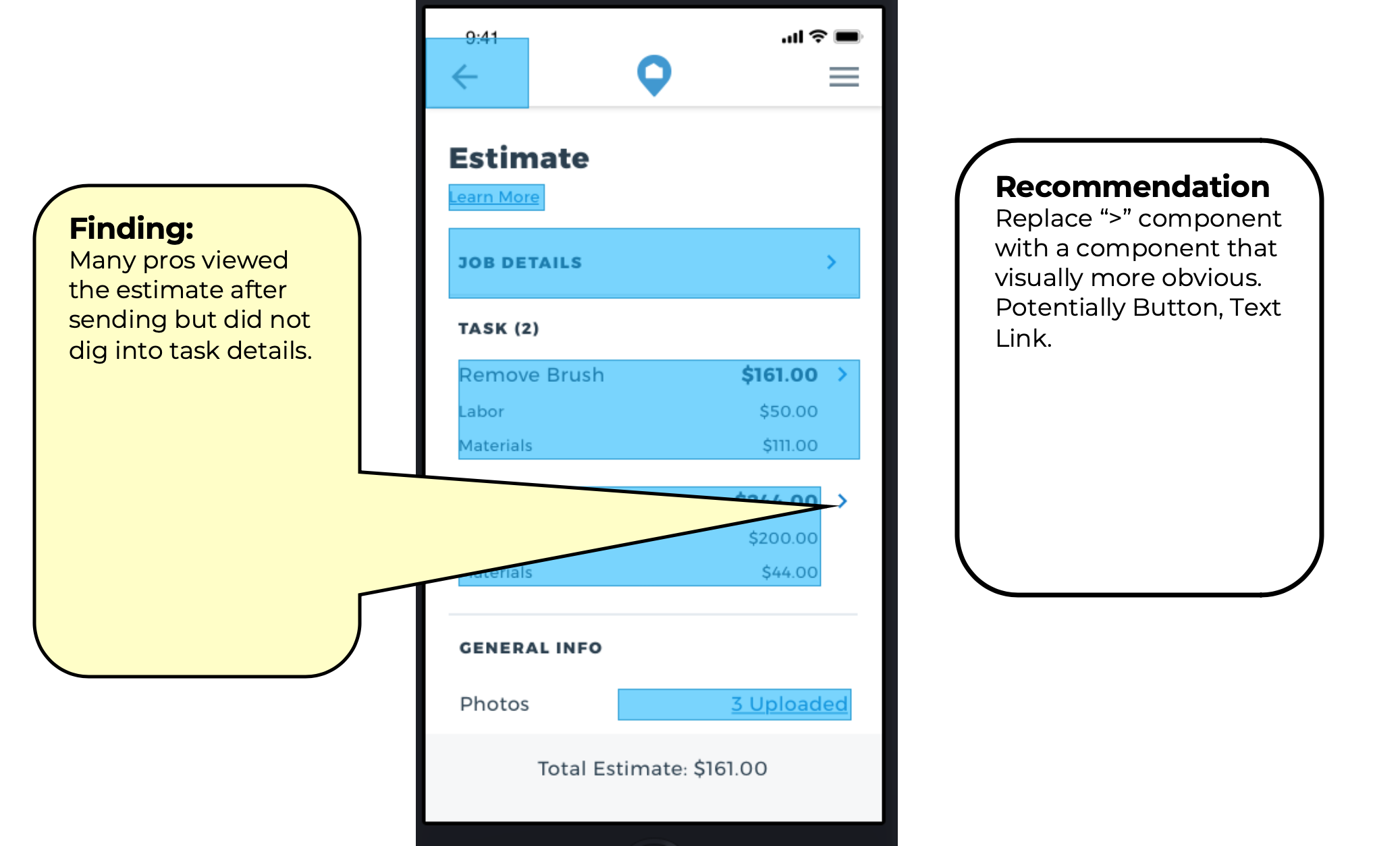
The Pros rarely reviewed the specific details of each task after submitting. After further questioning, we found that the arrow icon was unclear and often missed. The arrow was replaced with a button.

Final Designs

  • Designs
  • Future Improvements

Designs

The following video displays the final designs of the improved estimate process. The video depicts the process jumping from screens from the customer process to the Pro.
First screen Pros sees when creating an estimate.
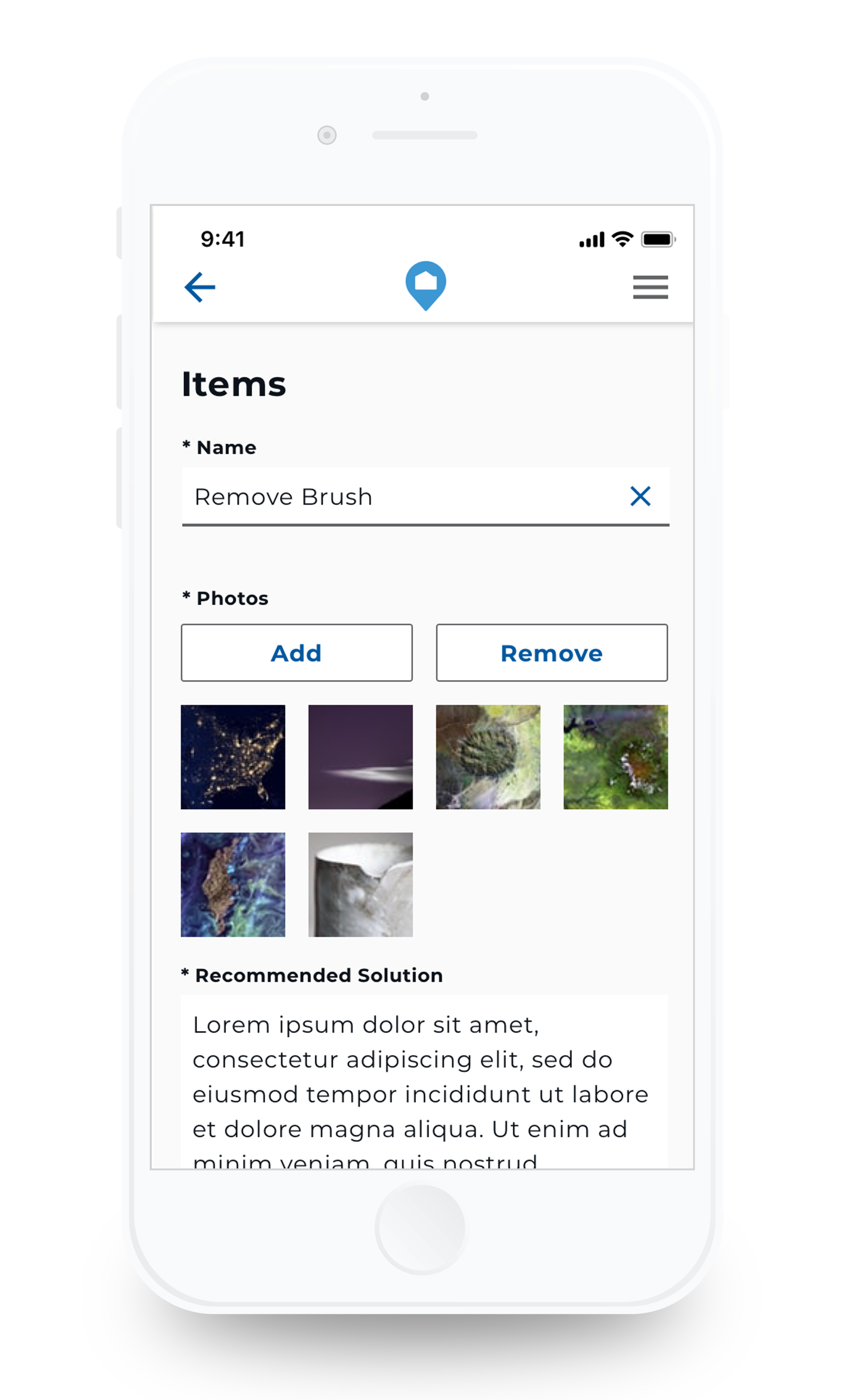
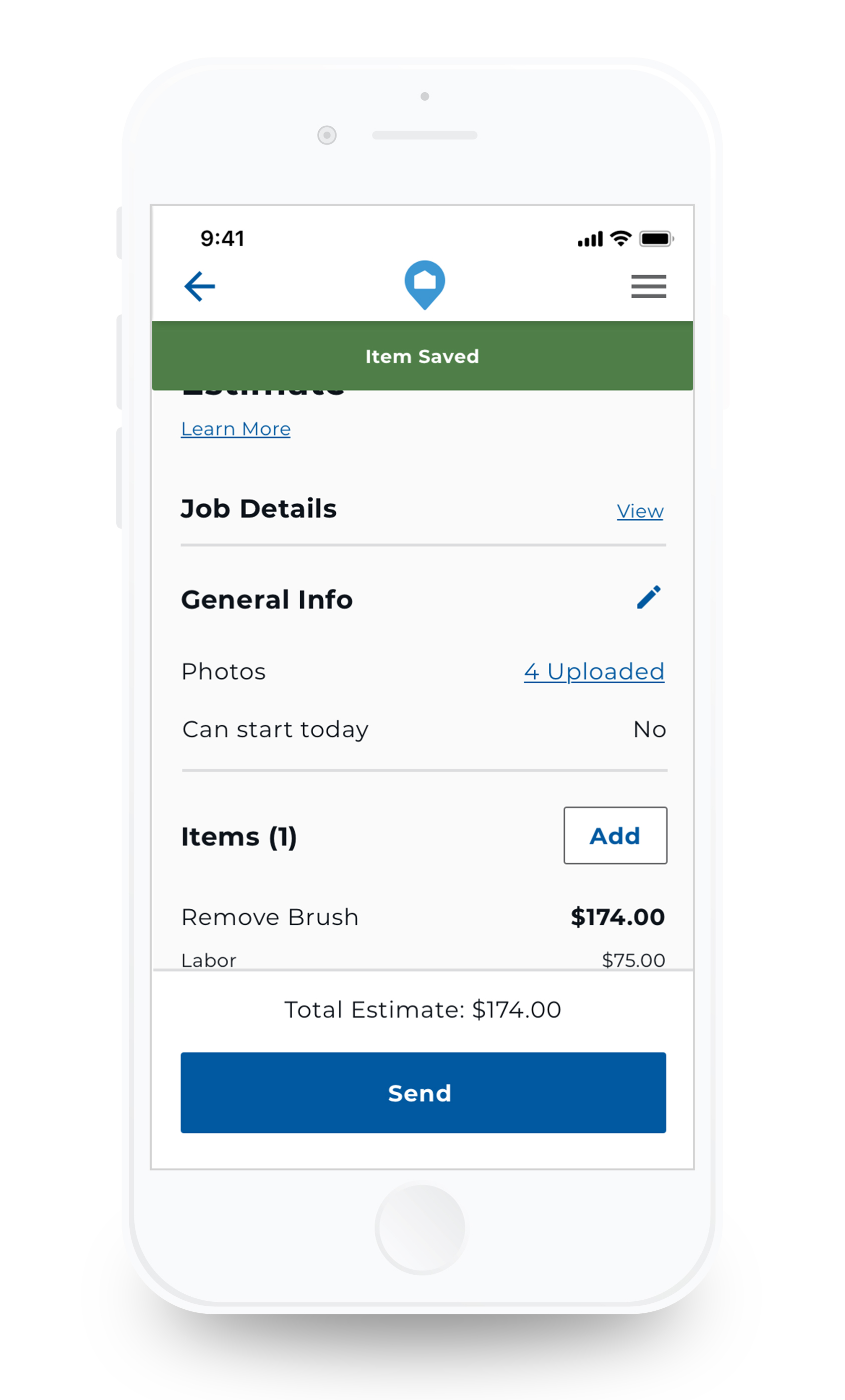
An item contains the details for a line item, or task.
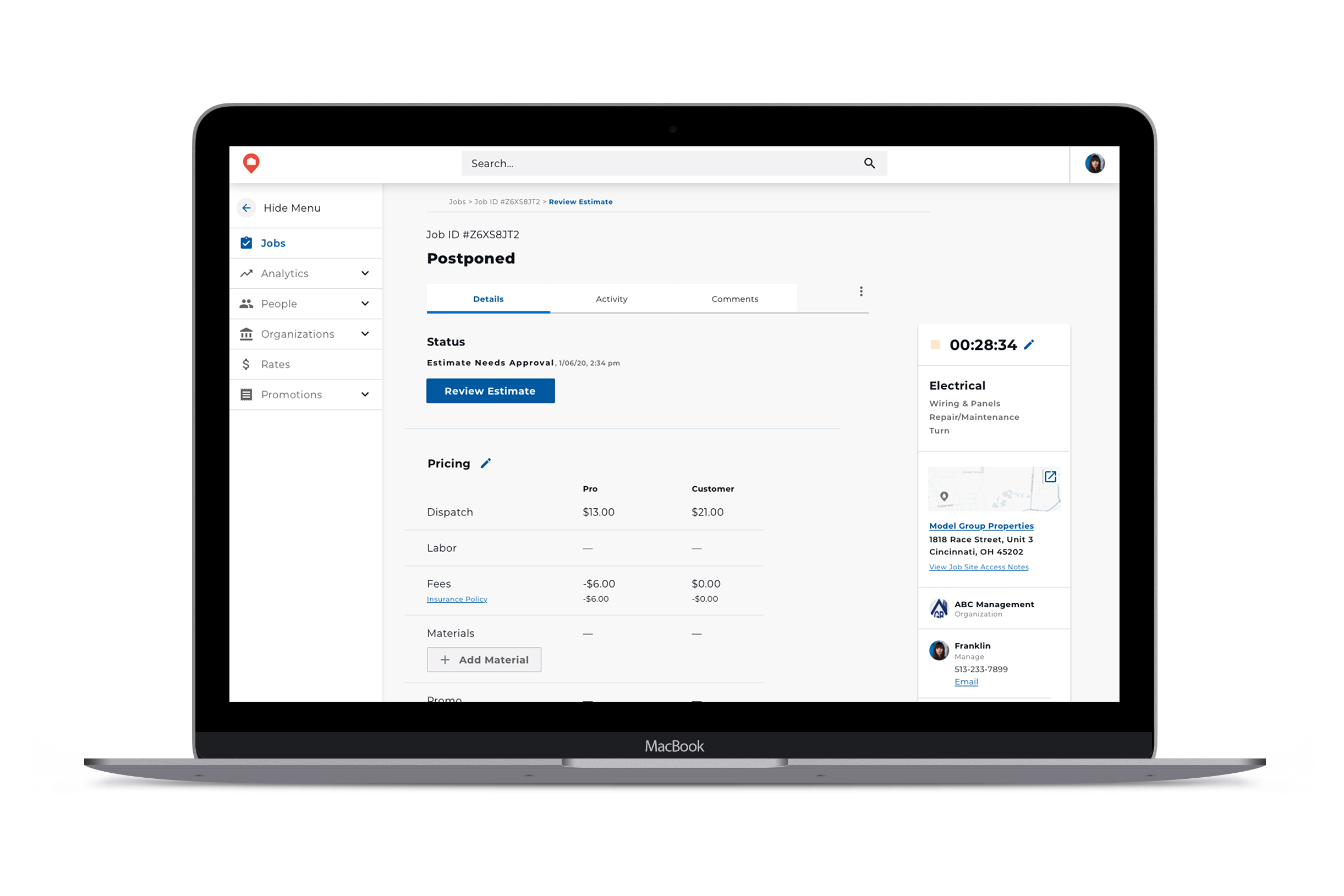
Layout of how internal team can review estimate on desktop.
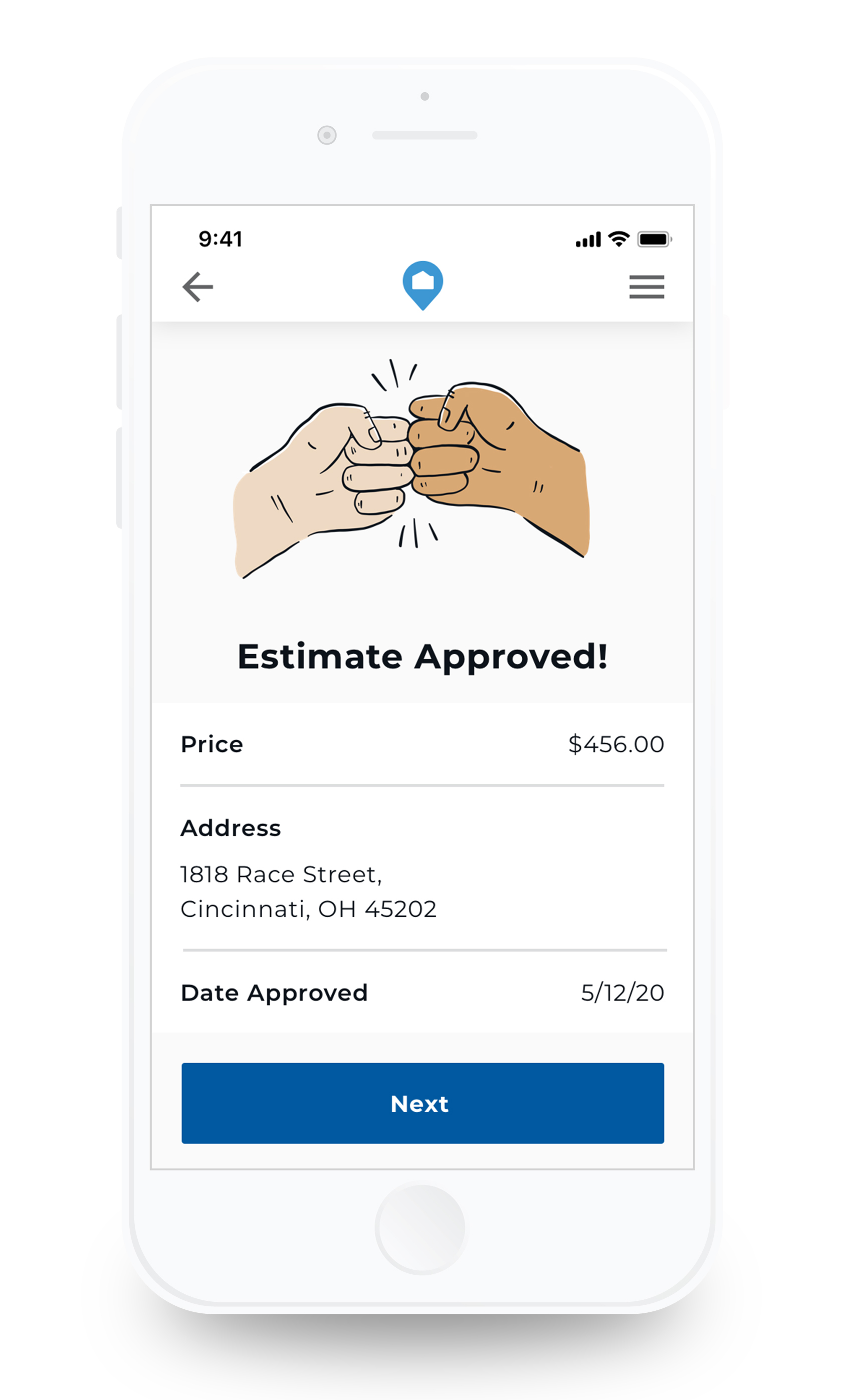
After the HOMEE team and customer approves the estimate, the pro is notified of approval.
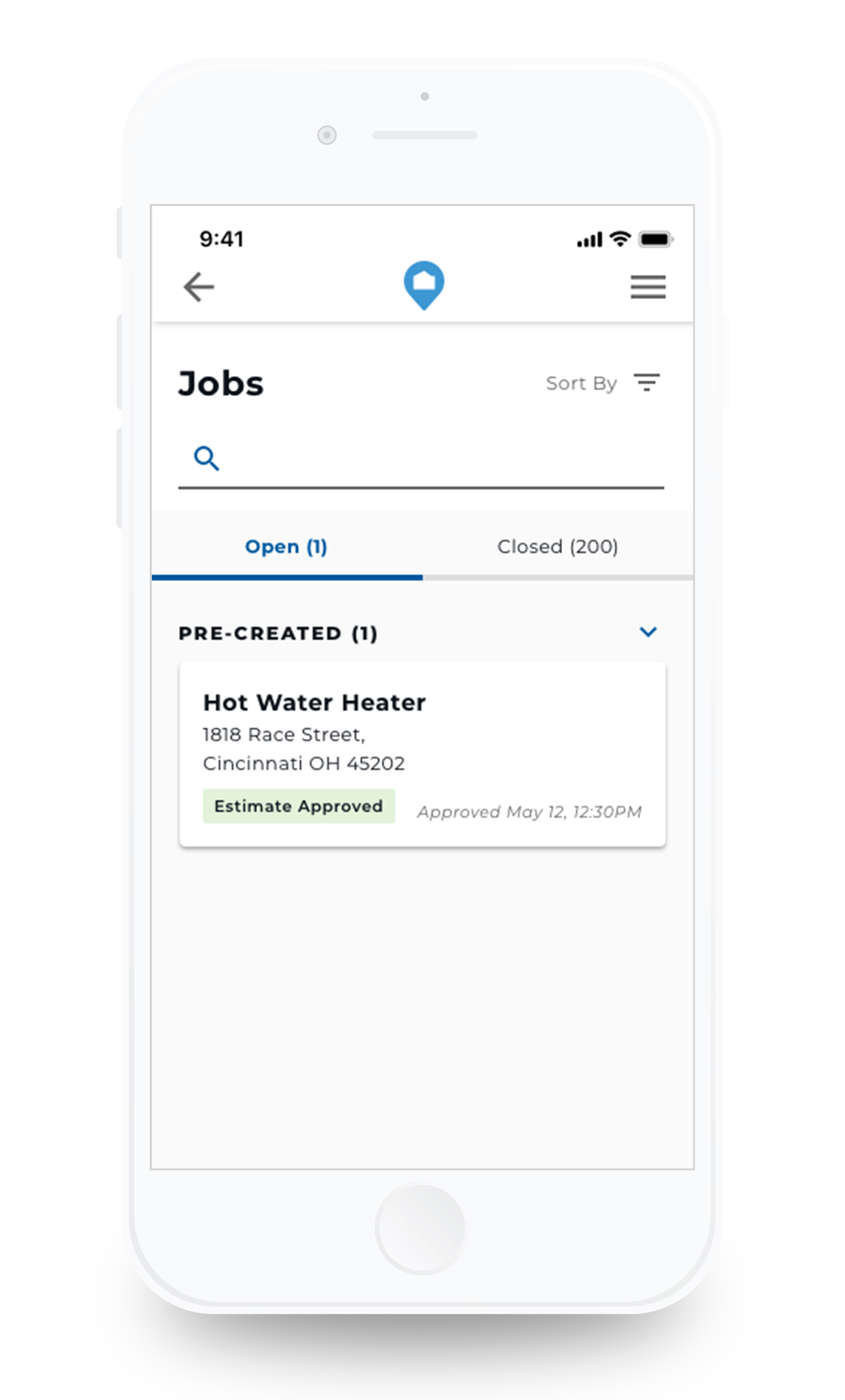
A new job was created with the flat rate price for the pro to complete.
The Workshop product is used by the HOMEE operations team to get details on the estimate and easily review and approve it.

Future Improvements

  • PDF of estimate details
  • Tiered scope options
  • Expedited approval based off estimate cost